by SarisonZero
The Single Player Demo of Infinite Words is played on your local device, meaning that the data from your game is only stored in your web browser for as long as your web browser's settings allow. If you close the tab, turn off the device, or reload the page, the game will restart from the beginning. This makes it a great way to try out the game and reset your mistakes, but it will be hard to make a large board. The single player demo is available here.
You play Infinite Words by making words on the board with tiles in your hand. The tiles available to you are in the white box, next to the "Exchange", "Reset" and "Submit" buttons. This is in different places on differently sized screens.
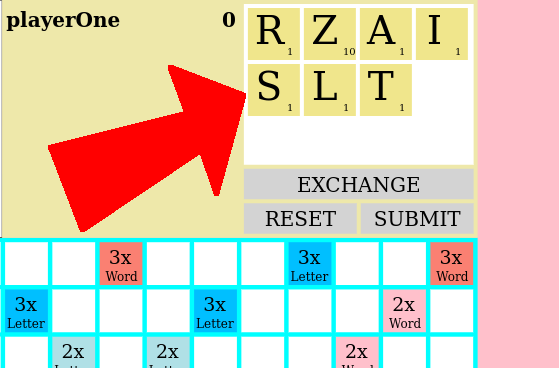
To place a tile, click on the tile so that a red border appears around it. Then, click on the space on the board where you want the tile to go.
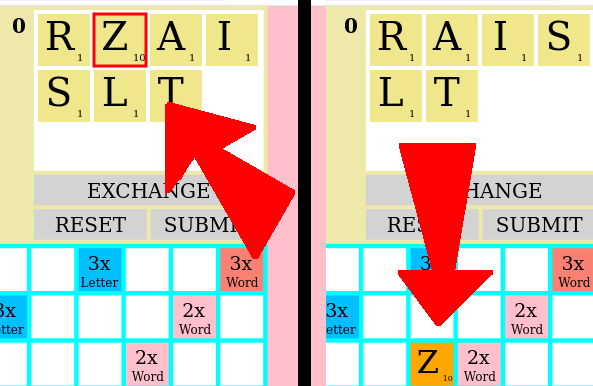
You can click on a tile on the board to move it to another space, or move it back to your hand. You may not place a tile where there is already another tile. You can click on the "Reset" button to return all the tiles that you placed this turn back to your hand.
When you are satisfied with your placement, click on the "Submit" button.
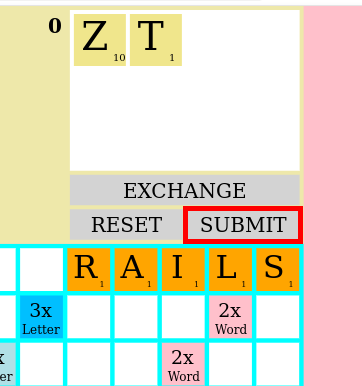
Your score is updated based on the word that you played, the location it was played, and any other words that you created along with that word. Spaces with notes like "2x Word" are worth multipliers for the entire word, while places like "3x Letter" are worth multiple points for just the letter that you placed there. Letters show how much they are worth in the lower right corner of the tile; rare letters are worth more.
When you play a word, there are a couple of things to keep in mind:
1: It needs to be a real word. There are over 175,000 to play, so you have some options. Proper nouns are not allowed.
2: You must place all your letters in a row or column. You cannot play some diagonally.
3: Any tile you place must make a real word with the tiles next to it. Gaps break up words.
4: The first word must be placed in the middle, but after that, every other word must be placed so that it connects to a previously placed word.
Sometimes you get tiles that are not very good, or don't work with the letters on the board. When that happens, you can Exchange them. To Exchange your tiles, click on the "Exchange" button.
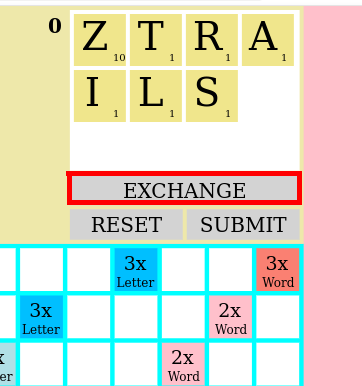
Select the tiles that you want to exchange by clicking on them. When you select one, a red border will appear around it. You can click on it again to unselect it. When you are satisfied with your selection, click on the "Submit" button to exchange those tiles. If you change your mind, you can click on the "Cancel" button to cancel the exchange. You may exchange as many or as few tiles as you like.
Infinite Words take up infinite space, so you will need to be able to move around. The board can only display 225 (15x15) spaces at a time. If you want to play your word in another space, you will need to move the board to show that area. To do this, click on the "Mini-Map" at the top to select where you want to go.
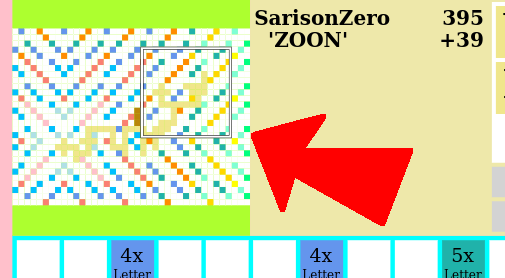
You can click anywhere on the map that you like. As you add more tiles, the map grows larger. Spaces further from the center of the board are worth more, so you can get higher points by expanding outward.
The Single Player Demo can be fun, and it presents a good look at how the game plays, but if you want to save your game, or if you want to play with friends, you will need to have an account and log in.
At this time, accounts are created on an individual basis. Ask for help getting an account set up from someone who already has one.
To log in, go to this page. Make sure that your browser is using https, and not http. You should see a lock, a key, or some other icon in the URL bar at the top to indicate that you are using https. When it doubt, add it in yourself.
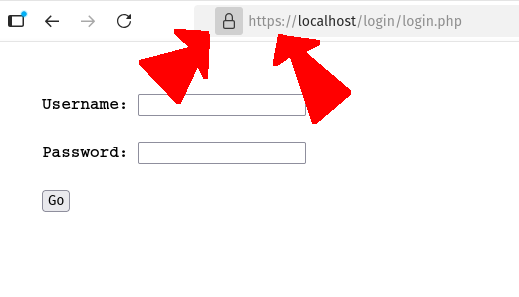
Enter your username and the password you were given. Then press Go to log in.
Once you are logged in, click on the name of the game that you want to play. Games in top section are those where it is your turn, so you can play. Games in the bottom section are those where you are waiting for someone else to play.
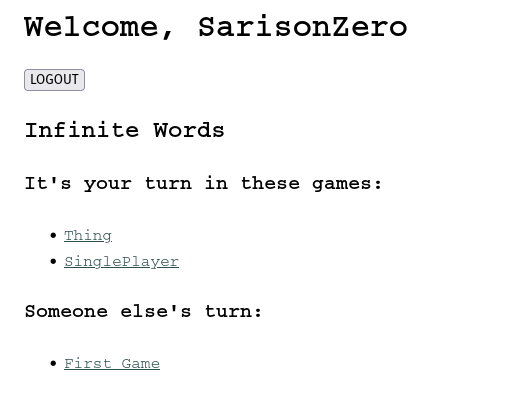
At this time, only SarisonZero can make a game. If you would like to make a multiplyer game, get in touch with him. Let him know the name of your game, and the usernames of the people who will be playing. He'll let you know when the game is ready to play.
You can also ask him to set up a "Multiplayer" game with only yourself in it. This will allow you to play the game without waiting for someone else to play their turn.